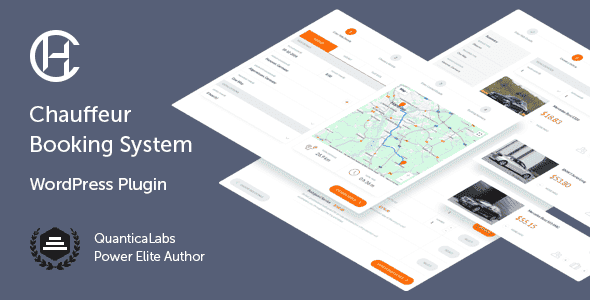
Chauffeur Taxi Booking System for WordPress


Original price was: $79.00.$15.80Current price is: $15.80.
Limo service, taxi operator, car hire. No matter which of these businesses you choose, Chauffeur Taxi Booking System is the first choice when it comes to a booking solution. The most popular and #1 selling WordPress Plugin for companies of all sizes provides a simple reservation process with online payments, notifications, WooCommerce and Google services integration.
Designed for: luxury limousine service, chauffeur, for any website related to private and shuttle transfers like airport taxi, sightseeing tours or hotel transfers. For limo service, limousine hire, taxi service and taxi booking. For bus, van and taxi cab. Consider the plugin for a wedding limo, driver hire or charter service. It will also work well as a taxi calculator, in event transportation or party buses.
Latest Version: 10 November 2025 – v9.0. Check the changelog
Route Preview & Calculations
The plugin displays a live map with your route and supports unlimited intermediate stops. It automatically calculates total distance and travel time, including return trips and any extra time. It can also measure the distance from your base to the pickup or drop-off point and apply a delivery fee to the final booking price.
Built-in Calendar
The plugin includes a built-in calendar with a clear monthly view of all reservations. You can quickly check booking times, assigned vehicles, and filter entries by booking status. Clicking any reservation opens a detailed view, making it easy to manage and track upcoming rides.
Flexible Service Options
The plugin provides support for three types of services: Distance (Point-to-Point), Hourly, and Flat Rate. The user can choose to use all three services or select only the ones they need.
- Distance – unlimited waypoints with custom stopover durations. Supports Google autocomplete or a predefined location list. Ideal for airport transfers and passenger transport. Pricing based on distance, time, and passenger count.
- Hourly – vehicle rental for a set number of hours. Pricing depends on duration and passenger count. Perfect for wedding taxis or party buses.
- Flat Rate – fixed routes from a list, ideal for tour operators. Supports pickup and drop-off fields. The customer is transported along a predefined route from the starting point.
Booking Forms
The Chauffeur Booking plugin allows you to create and customize unlimited booking forms with a variety of options such as default booking status, geolocation type, payment methods, coupon options, and more. See the complete list.
Agreements & Form Builder
Add required or optional agreement fields for GDPR compliance. Use the built-in form builder to create custom sections and fields, define required inputs, and set your own error messages.
Vehicle Management
The Chauffeur Booking plugin allows you to define an unlimited number of vehicles and set a variety of parameters for each one, including vehicle name, description, type, location, make and model, passenger and baggage capacity, vehicle standard, vehicle owner, vehicle base location, and pricing rates. You can also create a gallery of images for each vehicle, and specify taxes and fees. Additionally, you can assign attributes to each vehicle and exclude specific dates when the vehicle is unavailable.
Vehicle Attributes
Define unlimited attributes like color or engine type to organize your fleet. Choose from text input, single choice, or multi choice values, and assign them to vehicles for clear and structured presentation.
Booking Extras
Add an unlimited number of add-ons that can be selected by the customer, such as a child seat, an alcohol package, or bodyguard service. Specify if an add-on can be ordered more than once, set the maximum number that can be ordered, and the price per single addition. Define the add-on as mandatory to select or not. Select for which services, vehicles, and transfer types this add-on should be available. You can also specify your custom tax rate.
Geofence Areas
You can create an unlimited number of geofence areas and use them as criteria in pricing rules. The module includes an intuitive drawing tool for adding, removing, moving, and modifying polygon shapes. These geofenced areas can represent locations such as airports, cities, or custom regions on the map, and can be used to define specific pricing rules—such as distance-based rates or fixed total prices for transportation between defined areas.
Drivers & Driving Zone
Assign drivers to bookings manually or automatically, with notifications for new reservations and status updates. Define your driving zone, limiting bookings to specific areas.
Multiple Payment Methods
The Chauffeur Booking plugin offers a variety of payment options, including cash, Stripe, PayPal, wire transfer, and credit card on pickup. If WooCommerce is installed on your website, you can also leverage the full range of payment methods supported by WooCommerce, giving your customers more flexibility and convenience when paying for their bookings.
Prices Structure
The plugin allows you to define different types of prices:
- Fixed price for a ride.
- Fixed price for a return ride.
- Fixed price for a return, a new ride.
- Initial fee – value added to the order amount.
- Initial fee for a return ride – value added to the order amount.
- Initial fee for a return, a new ride – value added to the order amount.
- Delivery fee – price per kilometer from the base to the customer’s pick-up location.
- Delivery return fee – price per kilometer from customer’s drop-off location to the base.
- Price per kilometer.
- Price per kilometer for a return ride.
- Price per kilometer for a return, a new ride.
- Price per hour.
- Price per hour for a return ride.
- Price per hour for a return, a new ride.
- Price per hour of extra time.
- Price for waypoint – value added to the order amount for each waypoint.
- Price per adult.
- Price per child.
- PayPal flat fee – value added to the order amount once customer selects PayPal payment.
- PayPal percentage fee – value added to the order amount once customer selects PayPal payment.
- Stripe flat fee – value added to the order amount once customer selects Stripe payment.
- Stripe percentage fee – value added to the order amount once customer selects Stripe payment.
Pricing Rules
Create custom pricing rules based on various factors such as the booking form, vehicle type, service type, route, day of the week, date range, time, or ride distance. For example, set higher fares for weekend trips over 50 km or adjust prices based on demand. There are no limits to the number of rules you can define, allowing for complete flexibility in setting up your pricing structure.
Availability
Easily define business hours for each day of the week, block out specific dates, and set booking limits for any day, date, or time range.
The built-in Availability Rules module gives you full control—adjust vehicle availability, booking extras, and payment methods based on the selected form, service type, location, date, and time.
Custom Routes & Locations
Define routes for airport transfers, shuttles, or city tours. Limit pickup/drop-off to fixed locations or allow users to choose freely, add waypoints. Location input uses Google’s autocomplete.
Integration with Google Calendar
Easily sync bookings with your Google Calendar. This integration helps you manage reservations in real time, stay organized, and never miss a scheduled ride.
Widgets
The plugin includes four customizable widgets (one vertical and three horizontal) with configurable fields. These simplified booking form versions omit maps, navigation, and driving details, offering a cleaner, more user-friendly experience. The widgets can be displayed in sidebars, sliders, and other sections, making them ideal for homepage integration.
Included Language Packs
The plugin comes with ready-to-use translation files, allowing you to start in your preferred language right away. Included languages: German, Greek, Spanish, French, Italian, Dutch, and Turkish. All translations cover both the booking form and the WordPress admin area, making localization effortless without additional setup.
Geolocation
Users can set their current location as the pickup point using browser geolocation. You can also enable server-side geolocation and choose the provider. Both options are optional and can be turned off.
WooCommerce Integration
Seamlessly integrate with WooCommerce for login, registration, order processing, and payment gateways. The Chauffeur plugin also works independently without WooCommerce.
Color Picker
Use the built-in color picker to easily customize the booking form’s appearance. Match colors to your website’s branding for a consistent, professional look that enhances your site’s design.
Multi-Currency Support
The plugin includes an exchange rate importer that converts the base currency into others. This lets you create a single booking form with support for multiple currencies.
Coupons
Create fixed or percentage-based discount coupons with usage limits and activation dates. Use the built-in generator to quickly create multiple coupons without manual setup.
Notifications
The plugin is integrated with the Nexmo and Twilio API for SMS notifications, enhancing the customer experience. By adding Telegram and email notifications, your clients will always be kept informed.
Responsive Layout
The Chauffeur Booking plugin is fully responsive, meaning that every element adjusts seamlessly to any screen size. It works great on all mobile devices and tablets.
Compatible with WPML
The Chauffeur Taxi Booking System is WPML compatible, supporting multi-language websites. Use the .po and .mo files to translate or edit any text and labels in the plugin.
One Click Install
Quickly set up with the demo importer in plugin settings. Import predefined content like booking forms, routes, vehicles, and settings in one click. It’s the fastest way to see and customize the plugin.
Key Features of Chauffeur Taxi Booking System for WordPress
- Live route preview with unlimited waypoints.
- Total distance, total time calculation with extra time support.
- 3 types of services: distance (point-to-point), hourly, flat rate with the possibility of using all or only selected ones.
- Unlimited booking forms, reservations, vehicles, add-ons and predefined routes.
- Calendar displaying bookings made in the system.
- Ability to define your own routes.
- Integrated with PayPal, Stripe and WooCommerce payment gateways.
- Support for cash, wire transfer, credit card on pickup payment methods.
- Google services integration.
- Notifications by e-mail, SMS (Nexmo, Twilio), Telegram.
- Support all world currencies.
- Extensive pricing rules.
- Extensive availability rules.
- Advanced driving zones and geofence areas.
- Uses geolocation.
- Discount coupons.
- Custom form fields builder.
- Custom agreements builder.
- Color picker.
- Drivers module.
- Vehicles module with attributes.
- WooCommerce integration (the plugin is also fully functional without WooCommerce installed).
- WPBakery Page Builder integration (the plugin is also fully functional without WPBakery Page Builder installed).
- 100% responsive and mobile compatible.
- High resolution and pixel perfect.
- RTL (right-to-left writing system) is supported.
- Step based form with easy steps navigation.
- Smart sticky (floating) summary sidebar.
- Demo content available with one click importer.
- Compatible with WPML, supporting multi-language websites.
- Fully translatable with .Po/ .Mo files.
- Ready-to-use translation packs included (German, Greek, Spanish, French, Italian, Dutch, Turkish).
- Valid HTML5 code.
- Crossbrowser compatible.
- Documentation included.
Admin Features of Chauffeur Taxi Booking System for WordPress
Bookings Module
Displays a list of all submitted orders (bookings) in the system.
- Browse, edit, or delete submitted bookings.
- Set statuses for bookings: Pending (new), Processing (accepted), Cancelled (rejected), Completed (finished), On Hold, Refunded, Failed.
- View booking details, including ID number, service type, transfer type, pickup date and time, quote, total distance, total ride duration, and total order amount.
- View billing details, including total order amount, calculation method, and a detailed billing list.
- View route details, including start, intermediate, and end points, and extra time for the service.
- View vehicle details, including vehicle name and detailed pricing list.
- View details of extras booked.
- View client information.
- View payment information, including method and deposit.
- View drivers assigned to the booking.
Booking Forms Module
This module allows you to create an unlimited number of booking forms with different settings for each form. There are many options available.
General Settings
- Browse, add, edit, or delete booking forms.
- View the ID number of the booking form.
- Generate and copy a simple shortcode to place the form on any page.
- Set the available booking period, which is a range of dates in terms of days, hours, and minutes, during which customers can make a booking.
- Specify the time interval between reservations of the same vehicle.
- Choose the default booking status for new reservations: Pending (new), Processing (accepted), Cancelled (rejected), Completed (finished), On Hold, Refunded, Failed.
- Define booking title or use booking ID number.
- Enter ID’s of page/post on which the booking form is placed.
- Define the minimum distance required to make a booking.
- Specify minimum duration of the ride required to make a booking.
- Define the minimum total amount required for a booking to be possible.
- Define a default driver(s) assigned to the new bookings.
- Choose the default country in the booking form, or use the customer’s geolocation.
- Define the list of states within a country that customers can choose in the booking form.
- Enable or disable server side geolocation.
- Enable or disable discount coupons for a given form.
- Define the real-time multiplier for a ride for a given form (if applicable).
- Define the method for rounding the ride time for a given form, if desired.
- Enable or disable reCAPTCHA for a given form.
- Define the offered service types in the form: point-to-point (distance-based), hourly, or flat-rate for pre-determined routes. The form can be created for just one type of service or for all types of services.
- Set the default service type for a form.
- Choose whether you want to enable or disable transfer type options (one way, return, return as a new ride) for selected service types.
- Define your own ‘transfer type’ label.
- Define your own ‘fixed locations’ label.
- Define your own ‘routes’ label.
- Enable or disable autocomplete feature on fixed location lists.
- Define your company base location. You can apply the delivery fee resulting from the delivery of the car from the base to the pickup location.
- Define fixed pickup and drop-off locations for different service types. For example, for the ‘distance’ type service, you can define only one pickup location in Paris and one drop-off location in Berlin. Similarly, for the ‘hourly’ type service, you can set different options.
- Enable or disable possibility of adding waypoints by the customer.
- Select routes available for booking, for flat rate service type only.
- Enable or disable the option to specify the number of passengers (adults and children) for a specific service type in the booking form.
- Enter (or leave empty) default number of passengers (adults, children) for a given form.
- Enable or disable the display of the price per passenger for a ride.
- Define whether to display the label ‘adult’ or ‘person’ in the form.
- Enable drop down list for a number of passengers (instead of text field) in a given form.
- Set the location of the passengers drop-down list in the form.
- Define whether you want the form to automatically select the default vehicle for a ride, and if so, specify which vehicle to use.
Related products