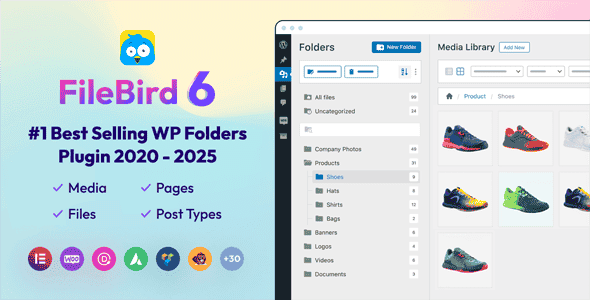
FileBird – WordPress Media Library Folders


Original price was: $49.00.$9.80Current price is: $9.80.
Do you have thousands of files in your WordPress media library? And you have trouble managing them?
I can imagine that must be quite challenging. FileBird – WordPress Media Library Folders plugin was born to help you take your WordPress media library to the next level!
MEET FILEBIRD PRO
Picture this: Thousands of images, banners, and stunning photos, neatly categorized in folders. Pages, posts, and custom post types, squarely arranged for instant access. Documents at your fingertips, organized alphabetically, by author, or by date.
This isn’t a dream. It’s the FileBird reality.
Your Complete WordPress Media Management Solution
Seamlessly manage posts, pages, CPTs, WooCommerce products, coupons, Elementor templates, marketing campaigns, and more with FileBird’s extensive categorization feature.
Say goodbye to the media mess! FileBird brings order to WordPress management as a whole.
Exclusively, the intuitive drag-and-drop features work for all popular website theme builders, page editors, and multilingual providers.
We push frequent updates, bug fixes, compatibility with the latest WordPress versions, and security patches.
Celebrating more than 30,000 webmasters using FileBird’s user-friendly interface and efficient organization. It is truly well-maintained and state-of-the-art.
WHAT CUSTOMERS SAY ABOUT FILEBIRD?
SCREENSHOTS
Easily create, rename, move, or delete folders
Smoothly drag and drop multiple files/folders
Change a folder’s color or add custom color
Quickly insert media from folders to page builders like Elementor
HOW IT WORKS
Are you a WordPress website administrator?
Developing a site means that you’ll be adding tons of new media files, such as images, videos, audio, SVG, PDF, docx, etc., into your WordPress site day by day. As a result, your site will have to store thousands of files. In the default WordPress media database, you cannot arrange files logically and wish you could do that like what you do with your files on your own computer, right? When you want to look for a particular uploaded file on your WordPress site, it takes so much time?
If this is your situation, FileBird is here to help you overcome the obstacle. This plugin gives you the ability to create unlimited virtual folders to organize your files easily. You can now drag and drop to upload or move files/folders. This will help you save a ton of time that goes into putting your media files in place. The hierarchical view of your folders will also make things easier for you to quickly find specific folders in just a blink of an eye.
FEATURES
DRAG AND DROP INTERFACE
Drag and drop is now becoming a modern standard. Native drag events, including moving files to a folder and folders to a folder in just a blade, reduce the amount of your clicks to complete your tasks.
ORGANIZE PAGES, POSTS, & CUSTOM POST TYPES
Media files are just the beginning! FileBird’s magic now extends to your pages and post types. This year, you can categorize posts, pages, products, events, users, members, campaigns, Elementor templates, and so much more.
DOWNLOAD MEDIA FOLDERS AS ZIP
FileBird lets you easily download entire media folders from your WordPress media library as a ZIP file. With just a click, you can export selected folders for backup, sharing, or offline use—saving time and keeping your files safe.
FILEBIRD CLOUD INTEGRATION SUPPORTED
This core plugin is compatible with FileBird Cloud plugin, which connects your WordPress Media Library with Google Drive and Dropbox. This integration allows you to access cloud files directly from your WordPress dashboard. Easily use cloud-based media just like WP media uploads while saving server space.
FOLDER THEMES
There are 3 themes you can choose for your FileBird folder tree skins: FileBird Default, Windows 11, and Dropbox. Want more? Just let us know!
FOLDER COLORS
Don’t want to see monotone colors? Let’s make your folders more colorful with more than 16+ preset colors in hand. More than that, custom HEX colors are now supported, too! Are you feeling wow? I know you do, but… Shh! Keep your voice down.
NEW FILE COUNTER
Each user can keep track of newly uploaded media assets for easy reference. The file counter can be switched between counting files per single folder, and counting per parent folder with nested folders.
SUPERIOR FILE BROWSER IN PAGE BUILDERS
Open the page builder you’re using; simply insert an image element and directly browse files in the same interface of FileBird native media library folders. This is the exquisite feature that FileBird exclusively has to offer you.
EMBEDDED GALLERY WITH FILEBIRD GUTENBERG BLOCK
Simply add a “FileBird Image Gallery” block to your page/post composer and choose the folder(s) you want to show. Your post will automatically display all media files in the chosen folder(s). Also, customize the column number, link, caption, and crop images as needed.
DOCUMENT LIBRARY (ADDON)
This FileBird Document Library addon allows you to show file lists from folders/categories to mirror back-end on the front-end. It displays a breadcrumb navigation, nested folders, and flexible pagination.
UPLOAD TO SPECIFIC FOLDER
With FileBird, you can upload many files at a time to the WP folder you want them to stay. Just choose a specific folder from the dropdown menu in the Upload New Media modal. Creating such collections has never been easier.
CUSTOMIZABLE SIDEBAR
What’s more? Your folder panel is resizable to fit your own name lists. You can also collapse it entirely to focus on the folder you’re currently working on. This resizable sidebar boosts your workspace for better navigation and comfort.
SVG FILE SUPPORT
Allow SVG upload with sanitization for secure and efficient vector graphics handling without clunky plugins.
PAINLESS MIGRATION
We care, therefore we build. And now, if you already use Enhanced Media Library by wpUXsolutions or Media Library Folders by Max Foundry, you can easily import all categories and folders at once.
FLEXIBLE MEDIA SORT & SEARCH
The multi-level structure surely helps you do filtering, categorization, and administration right in the native WP dashboard. Even if your library grows to hundreds of folders, the sorting system and instant search box still do their job for you.
CMS OPTIMIZATION
Advantageous performance improves Content Management System by reducing your duration of administration as well as the cost of operation and maintenance. Hence, effective management is attained.
ASSISTIVE SEO
Media file hierarchy sets a proper order for all collaborative members to follow up on changes and events easily. You’re not doing your website alone, right? So, you have to keep it aligned for teamwork, especially with external SEO associates. It’s super easy to double-check the images’ ALT text and filename structure within a chosen folder.
FOLDER TREE WITH TOP-NOTCH DESIGN
We follow the latest trends in composing icons, buttons, labels, sections, and draggable elements. All Ninja Team’s plugins are crafted with clean quality code and UI/UX-inspired design.
INTELLIGENT DELETION
Adding or renaming a folder is just a click away. And so is deleting a folder. However, you’re not losing your data. All your files will be moved to the “Uncategorized” folder so that you can still use them later.
MULTI-LANGUAGE SUPPORTED
All menus and labels are translated so that you don’t have to. Just one click to install, and you don’t have to look up any word. Definitely, the clean UI/UX makes it so intuitive that reading documentation is no longer needed.
VERSATILE COMPATIBILITY
FileBird is readily compatible with popular themes, page builders, and other 3rd parties like WooCommerce, WPML, Polylang, WPBakery, Elementor, Gutenberg, Beaver Builder, Divi, Thrive Architect, Slider Revolution, Smush, etc.
LIFETIME LICENSE
Enjoy FileBird with the ultimate policy of lifetime license! You pay only once, and get updates for your lifetime. No more recurring payments. What could be better?
NEW FEATURE WANTED?
Last but not least, if you need more functions not included in the premium version, just leave us feedback. We might develop that feature in the next versions, JUST FOR YOU!
FAQs
Q: Where can I find the Documentation for this plugin? A: You can find it here: https://ninjateam.gitbook.io/filebird/
Q: How can I choose an uploaded file in a specific folder when I create a new post? A: Yes, you can use the folder tree on the left or choose the folder in the dropdown list of the filter box beside the search box.
Q: Do all of my uploaded files remain the same after I first install this plugin? A: Yes, they do. You can find them all in the “All Files” folder.
Q: If I create a folder or category, does this override the default WordPress path “wp-content/uploads”? A: No, it does not. The plugin helps organize files into folders visually. The initial file permalink still remains as is.
Q: How can I bulk-select multiple files and put them into a folder? A: You can use the “Bulk select” button in the media grid, then select the files you want, and just drag them into a folder.
Q: When I move an image to another folder, does this action affect the image appearance on my front-end? A: No, it does not. The image is still displayed correctly on the site frontend, and the file path is not changed.
Q: How can I update FileBird to the latest version? A: You can follow this guide: How to update FileBird
Q: How can I display a list of PDF files at the front end for visitors to download? A: Please use FileBird (core plugin) along with FileBird Addon: Document Library Pro.
Q: How can I get support? A: You can visit our website for live chat, or email us at: [email protected]
PREMIUM LIVE CHAT SUPPORT
CHANGELOG
Dec 5, 2025 – Version 6.5.2
- Added: Auto rename when add new folder and it's name exists - Fixed: Create new folder at post-type pages - Improved: Security
Oct 22, 2025 – Version 6.5.1
- Improved: Security (Access Control Authenticated (Subscriber+)) - Fixed: Inputs were not working properly
Oct 17, 2025 – Version 6.5.0
- Added: Double click folder to rename - Added: Hover effects - Improved: Security for Clear All Data function - Fixed: Warning when delete users
Aug 4, 2025 – Version 6.4.9
- Added: Accessibility improvements based on WCAG guidelines - Fixed: Security
Apr 19, 2025 – Version 6.4.8
- Added: FileBird Gallery Element for WPBakery Page Builder - Added: Support Import/Export Custom Post Types
Mar 19, 2025 – Version 6.4.7
- Added: AJAX Breadcrumbs - Fixed: Breadcrumb and Nested Folders issue when User Mode is on - Updated: Removed shop_order from the Post Type feature. - Improved: Code for Performance and maintainability
Feb 12, 2025 – Version 6.4.6
- Added: Display caption for lightbox - Improved: Request handling (conflict with JobBoardWP plugin) - Fixed: Security (reported by researcher Revan Arifio)
Jan 17, 2025 – Version 6.4.3
- Added: Backup feature
Oct 25, 2024 – Version 6.4.2
- Improved: UI - Fixed: Block FileBirdGallery not show
Oct 16, 2024 – Version 6.4.1
- Fixed: UI - Fixed: Setttings
Oct 9, 2024 – Version 6.4
- Added: Auto Select Previous Folder in Upload New Media Page - Added: Change some user settings to global settings, not belong to each user anymore (Folder counter, Theme, Breadcrumb) - Updated: PL language - Added: Some new filter hooks (fbv_user_default_folder: This filter is used to set the default folder for a user. Developers can use this filter to specify which folder should be loaded by default when the user accesses FileBird plugin. fbv_user_default_sort_files: This filter allows you to set the default sorting method for files within a folder. Developers can customize how files are sorted when the user first accesses a folder. fbv_user_default_sort_folders: This filter allows developers to define the default sorting method for folders when the user first accesses the plugin. fbv_user_folder_startup: This filter lets developers define the initial folder or state that should be loaded when FileBird plugin starts up for the user.) - Fixed: Laggy text selection when using with Divi Builder - Fixed: Sort folders (display wrong order) in custom post types
Aug 23, 2024 – Version 6.3.4
- Fixed: CSV Export Vulnerability, reported by Sarun Pornjarungsak (Researcher Secure D) - Fixed: Improve Post Type Counter - Fixed: Exclude trashed posts out of folder count
Jun 25, 2024 – Version 6.3.3
- Fixed: Plugin dependencies
Jun 25, 2024 – Version 6.3.2
- Fixed: CSS hiding all admin notices
Jun 25, 2024 – Version 6.3.1
- Fixed: Load media in Add New Media File page
Jun 24, 2024 – Version 6.3
- Added: FileBird folder column in media list and Post Type table - Improved: WordPress TableList Drag/Drop - Fixed: WordPress VIP service doesn’t load FileBird styles - Fixed: WPML/Polylang not sync file to folder when add new attachment
Jun 14, 2024 – Version 6.2.5
- Fixed: Folder dropdown not showing in Featured Image upload tab when Elementor is activated
May 31, 2024 – Version 6.2.4
- Improved: Sort default file, default folder - Fixed: Conflict with MotoPress WordPress Hotel Booking plugin
May 23, 2024 – Version 6.2.3
- Improved: File search scope in list view - Fixed: Default folder settings not working in Elementor - Fixed: Default folder settings not saved in some CPTs
May 13, 2024 – Version 6.2.2
- Improved: Compatible with custom post types created by third-party plugins - Fixed: Count post types when selecting “Not Translatable” in WPML
May 10, 2024 – Version 6.2.1
- Fixed: PHP warning undefined array - Fixed: FileBird gallery image captions showing raw html - Fixed: CSV export incorrectly when having comma symbol in folder name - Fixed: Create new folder (Press ESC doesn’t revert the last tree, create unused temporary folder) - Improved: Disabled “Paste” when Cut and Paste a folder itself - Improved: Disabled “Delete permanently” when moved files in Bulk Select - Improved: Post Type Label (In the previous version it only showed Folder for all post types; now it changes to “Page Folders”, “Post Folders”, etc. based on Post Type Selected). Improved for 3rd export plugins like WP All Export.
Apr 23, 2024 – Version 6.2
- Added: Implement new hooks - Added: Support mobile for PostType/Media - Added: Implement new interface for admin - Fixed: WPML Redirect API - Fixed: Some bugs
Mar 29, 2024 – Version 6.1.2
- Fixed: Wordfence bug report
Mar 20, 2024 – Version 6.1.1
- Fixed: Error when updating - Fixed: Security - Fixed: Count for Post type
Mar 11, 2024 – Version 6.1
- Added: Support Zion Builder - Added: Implement Search using API (need apply new filter to use) - Improved: Prevent duplicating folder tree request in Modal of Gallery
Mar 2, 2024 – Version 6.0.9
- Added: Import folder from Mediamatic plugin - Added: Auto activate license on staging site - Fixed: Some bugs of image gallery - Fixed: Compatible with collation utf8mb3
Feb 21, 2024 – Version 6.0.8
- Improved: Folder tree appearance after deleting a folder - Improved: "Activate license" screen - Updated: POT file - Fixed: Missing folder icons on Safari
Jan 26, 2024 – Version 6.0.7
- New: FileBird Breadcrumb works with EML - New: Folder on the right works with EML - Improved: FileBird Updater - Fixed: Reset file selected (when choose another folder, files selected before are deselected)
Jan 19, 2024 – Version 6.0.6
- Improved: Switching to use TailwindCSS (Remove CSS-IN-JS) - Improved: Performance optimization for RTL + LTR - Improved: Expanded folder tree doesn’t sync well in multiple screens - Fixed: Post Types Counter displays wrong number - Fixed: Some CSS
Jan 9, 2024 – Version 6.0.5
- Fixed: Firewall blocking (Sucuri, GoDaddy, etc.)
Jan 7, 2024 – Version 6.0.4
- Added: Implement new interface UI library for Tooltip, Context Menu, animation, which is scaleable, easier for maintain and have better performance - Added: Missing text translation - Fixed: Compatible with PHP 8.2 - Fixed: Missing “FileBird Folder” attribute on media file’s detail - Fixed: Listview error - Fixed: PostType doesn’t load posts (only ListView) - Fixed: Not Saving PostType in Setting - Fixed: Select Folder doesn’t work properly when there is no folder in PostType - Fixed: Remove plugin updater library, using new functionality - Fixed: CSV Import not working for PHP > 8.0 - Fixed: Small CSS bugs
Dec 25, 2023 – Version 6.0.3
- Updated: POT files, translation for German - Fixed: Layout of folder tree in modal (for German)
Dec 22, 2023 – Version 6.0.2
- Fixed: Compatible with WooCommerce Product Layout - Fixed: Compatible with ACF Custom Field
Dec 21, 2023 – Version 6.0.1
- Fixed: Support page builders
Dec 21, 2023 – Version 6.0
- New: Full compatibility of folders for pages, posts, custom post types with WPML, Polylang, etc. - New: SVG upload & sanitization - New: Each user can now experience new folder skins in different themes - New: Quickly display folder ID - New: File counter options for each user - New: UI/UX & icon design - Required: At least PHP 7.4 - Improved: Unstyled component - Improved: Smooth resizeable folder sidebar - Improved: Lightweight plugin bundle with minified packages - Improved: Faster performance - Improved: Smart load assets per task - Fixed: PHP 8.0 auto-update library
Nov 28, 2023 – Version 5.5.8
- Fixed: Compatible with Polylang latest version
Nov 22, 2023 – Version 5.5.7
- Added: Support YooTheme ver 4 and greater - Fixed: Conflict with ATUM Purchase Order Pro plugin (by Stock Management Labs™)
Nov 13, 2023 – Version 5.5.6
- Fixed: Sorting in WooCommerce Products
Nov 8, 2023 – Version 5.5.5
- Fixed: Compatible with WP 6.4 - Improved: Review suggestion
Oct 25, 2023 – Version 5.5.4
- Fixed: Not show folder tree in post types
Oct 24, 2023 – Version 5.5.3
- Improved: Work with cache
Aug 31, 2023 – Version 5.5.2
- Fixed: Counter wrong in popup modal with WPML - Fixed: Support Betheme latest version - Fixed: Conflict tooltip style with Betheme builder - Fixed: Drag/drop attachment not working correctly (conflict with betheme builder drag/drop)
Aug 23, 2023 – Version 5.5.1
- Fixed: Error with WP 6.0.x
Aug 1, 2023 – Version 5.5
- Added: New filter for Post Types Support: filebird_post_types - Added: Label All Posts/Pages/Items & Logo Empty Folder - Added: Counter of folder on the right - Fixed: Tooltip of folder on the right - Fixed: Laggy moving - Improved: Logic and performance - Updated: POT files, updated Dutch Language
Jul 7, 2023 – Version 5.4.5
- Added: Compatible with PDF Image Generator (By Mizuho Ogino) - Updated: Document Link
Jul 3, 2023 – Version 5.4.4
- Added: Compatible with text block of UX builder (Theme Flatsome) - Fixed: Drop item when a subfolder is deleted - Fixed: Conpatible with Twenty twenty three theme
Jun 27, 2023 – Version 5.4.3
- Fixed: Conflict with plugin CMS Tree Page View - Fixed: Set folder for cropped image
Jun 20, 2023 – Version 5.4.2
- Added: Sync WPML
Jun 7, 2023 – Version 5.4.1
- Fixed: Compatible with the latest version of Beaver Builder - Fixed: PostType Tree loading with Editor Role
Jun 5, 2023 – Version 5.4
- Added: Support migrate folders from Wicked Folders plugin
May 23, 2023 – Version 5.3.3
- Fixed: Order warning
May 15, 2023 – Version 5.3.2
- Fixed: SQL security
May 11, 2023 – Version 5.3.1
- Fixed: Guide link
May 5, 2023 – Version 5.3
- Added: Options Choose user folder when import CSV (with attachments) - Fixed: Compatible with PHP 5.6, PHP 8.2 - Fixed: Disable button Bulk select after moving files
Apr 18, 2023 – Version 5.2
- Added: Folders for other post types - Fixed: Error with layout of woo product - Fixed: Move files - Fixed: sql_require_primary_key
Apr 10, 2023 – Version 5.1.6
- Fixed: Sql_require_primary_key in Digital Ocean - Fixed: Can not active when email has plus character
Mar 23, 2023 – Version 5.1.5
- Supported: LearnPress - Supported: BeTheme - Fixed: Permission for generate-key api - Fixed: Gutenberg scroll folder
Jan 6, 2023 – Version 5.1.4
- Fixed: Special symbol in image alt in gallery
Jan 4, 2023 – Version 5.1.3
- Fixed: Conflict with PHP <7.4
Jan 3, 2023 – Version 5.1.2
- Fixed: Download folder error
Dec 28, 2022 – Version 5.1.1
- Fixed and improved: Sort by file name
Nov 15, 2022 – Version 5.1
- Fixed: Import folders from WP Media Folders (by Damien Barrère) - Fixed: Move attachment
Nov 10, 2022 – Version 5.0.9
Added: Import folders from WP Media Folders (by Damien Barrère)
Oct 6, 2022 – Version 5.0.8
- Fixed: Improve sort by file name - Fixed: Small CSS - Improved: Review notice (display after 3 days when activated the first time) - Added: Hook for not create folder when uploading
Sep 16, 2022 – Version 5.0.7
- Updated: New algorithm
Sep 12, 2022 – Version 5.0.6
- Fixed: SVG Icon in Safari - Added: Notice when create/update folder fail - Fixed: FileBird Gallery not display image when using EWWW Image Optimizer plugin - Fixed: Some bugs
Aug 11, 2022 – Version 5.0.5
- Added: Support Avada Theme - Fixed: Bugs
Aug 9, 2022 – Version 5.0.4
- Added: Support Bricks builder - Fixed: Issue with wordpress.com - Fixed: Compatible with Themify
Jul 22, 2022 – Version 5.0.3
- Improved: Folder name sorting - Fixed: Import from 3rd party plugins
Jul 21, 2022 – Version 5.0.2
- Removed: CSS Gallery when not using Gutenberg - Fixed: PHP warning
Jul 5, 2022 – Version 5.0.1
- Updated: Korean Language - Removed: All .DS_Store files - Fixed: Schedule permission error - Fixed: Conflict with Oxygen Builder - Fixed: Module build failed
Jun 30, 2022 – Version 5.0
- Added: FileBird Themes (Windows 11, Dropbox) - Added: FileBird Folder colors - Added: Move folders in bulk - Added: FileBird Gallery Layouts (Flex | Manasory | Grid) and Lightbox - Added: New Sort by Size and Generate attachment size - Added: New API method for Dev - Added: Some new settings - Added: Full Support Gutenberg Block Translation with new json file (you can generate by using wp i18n make-json which have been published by WP version 5) - Added: Support Korean Language - Added: Support Themify - Added: Recommended plugins - Optimized: Performance (FileBird 5 loads the previous versions, refactored code base, optimized query, removed some library, changed structure) - Improved: UI and notices - Improved: FileBird Auto Update, License checking - Updated: PO...
Related products