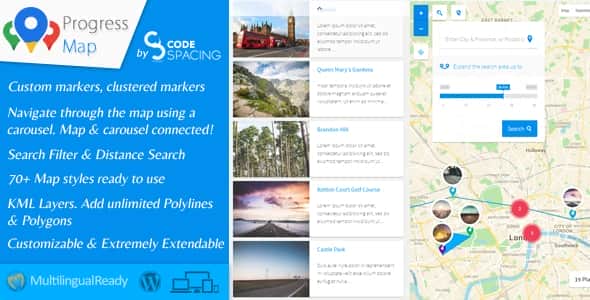


Progress Map is a versatile WordPress plugin designed for location-based listings. Whether your website features hotel listings, real estate properties, restaurants, job postings, stores, or any other location-centric content, Progress Map makes it easy to showcase these locations on Google Maps. It also provides your visitors with a seamless way to explore and navigate through them directly on your website.
Your locations are displayed as markers on Google Maps, paired with an interactive carousel. The carousel is synced with the map, allowing users to click on items and instantly zoom in on the corresponding location, making it simple for visitors to find the listings they’re looking for.
Adding locations is straightforward—just enter the location’s coordinates into the form on the “Add New Post” page. Progress Map supports both default and custom post types, with no limit on the number of custom post types you can integrate.
We pride ourselves on offering competitive pricing without compromising on features. Progress Map is loaded with powerful tools and functionality, ensuring you get excellent value for your investment.
The plugin includes a robust admin panel, enabling you to manage all aspects of your map and listings effortlessly. With extensive customization options and unique features that stand out from the competition, Progress Map delivers everything you need to elevate your website.
Carefully crafted with attention to detail, Progress Map is designed to meet all your requirements. Our dedication to adding new features and continuous improvements ensures that the plugin evolves to stay ahead of your needs.
Stylish, intuitive, and highly functional, Progress Map is the perfect tool to take your website to the next level.
Improvements
07.01.2025 - version 5.8 - NEW: Introduced the "Visited marker" feature, enabling customization of markers clicked by users during map exploration (Marker settings => Visited Markers). - NEW: Introduced a fresh clustering approach named "Color Clustering," utilizing a gradient color pattern that adjusts according to marker density, providing distinct visual separations between clusters (Marker clustering settings => Clustering type => Colored clusters). - NEW: Added the possibility to open a custom URL in a new window by clicking on the marker. - NEW: Introduced the option to navigate through carousel items using URL hash (Carousel Settings => Hash Navigation). - NEW: The carousel now responds and adjusts to mobile devices and small screens for improved adaptability. - NEW: Added an option to enable/disable automatic geotargeting after map load (Geo-targeting Settings => Auto Geo-targeting). - EMPROVEMENT: Improved the loading speed of the map and enhanced the carousel's ability to handle thousands of locations. - EMPROVEMENT: Changed the carousel library from "jCarousel" to "swiperjs". - EMPROVEMENT: Updated the Marker Clusterer API to the latest version available. - EMPROVEMENT: Added support for new "Content Security Policy (CSP)" update by calling the "GMaps JS API" from "//maps.googleapis.com" instead of "//maps.google.com". - EMPROVEMENT: Set the autoload for the "cspm_markers_array" option to "no" to improve loading performance. - BUG FIX: Fixed a JavaScript syntax error by properly escaping the post address and URL passed to the JS function "cspm_new_pin_object". - BUG FIX: Fixed an issue where it wasn't possible to display custom markers by category when using WPML. - BUG FIX: Fixed an issue where selecting the "Manual" anchor point for markers prevented infoboxes from opening on mobile devices.
22.05.2024 - vesrion 5.7.3 - Removed the URL parameter "loading=async" from the Maps JavaScript API URL as it causes a conflict with other APIs. Support for that parameter will be added in a future update!
15.03.2024 - version 5.7.2 - Fixed a conflict with "Full-Site-Editing / block themes" where it wasn't possible to enqueue scripts - Fixed an issue whith the HTML character entities of the markers title - Added a new URL parameter "loading=async" to the bootstrap URL for direct script loading to indicate that the Maps JavaScript API has not been loaded synchronously - Added a new option to reverse Polyline/Polygon/Hole coordinates in the drawing tool under "Polyline settings", "Polygon settings" & "Map Holes settings" and deprecated the option "LatLngs order"
08.07.2023 - version 5.7.1 - Fixed the error in the console: "Loading the Google Maps JavaScript API without a callback is not supported" - Fixed error implode() Argument #2 must be of type array for PHP 8.0 compatibility - Fixed an issue where it wasn't possible to change the route color for the shortcode [cspm_route_map]
13.10.2022 - version 5.7 - Made the plugin compatible with PHP8
13.04.2022 - version 5.6.9 - Added the possibility to increased the map zoom in the settings up to 22 - Fixed the JS errors "Cannot read properties of undefined (reading 'length')" - Fixed JS erros in "jquery custom scrollbar plugin"
05.07.2021 - version 5.6.8 - Edit: Re-addition of the functionality that automatically geolocats the user's location and displays their position on the map
12.06.2021 - version 5.6.7 - NEW: Added the possibility to hide all KML Layer on map load and show them using the KML Layer's list (KML Layers settings => KML Layers onLoad status)
23.05.2021 - version 5.6.6 - Fixed a compatibility issue with the extension "List & Filter"
20.05.2021 - version 5.6.5 - NEW: Added the possibility to show or hide only locations of the currently logged-in user (Query settings -> Authors type) - Improvement: Removed the map options "Draggable" and "ScrollWheel". These options are now controllable from the new setting "Map settings => Controls & Interaction => Gesture Handling". - Edit: Prevent the map from automatically geolocating the user location as it is now considered a violation. The user now need to click on the geolocation button to show their position on the map. - Improvement: Added multiple error messages that will appear during the configuration of the plugin and that will give detailed instructions to the user to fix occuring problems. - Deprecated: The option "Troubleshooting => Loading scripts & styles => Combine files" is now deprecated. the option "Separate files (Minified versions)" should be used instead!
10.02.2021 - version 5.6.4 - Fixed an PHP error that occurs when saving the map settings
20.12.2020 - version 5.6.3 - NEW: Added possibility to automatically convert the address field to "lat,Long" and save them as new custom fields when adding/editing the post. - NEW: Added possibility to automatically regenerate "lat,Long" coordinates for all locations based on the provided address (Troubleshooting => Regenerate markers). - NEW: Added possibility to open the polygon link inside a modal/popup ("Polygon settings => YOUR POLYGON => Polygon Options => URL Target") - NEW: Added possibility to open the polyline link inside a modal/popup ("Polyline settings => YOUR POLYLINE => Polyline Options => URL Target") - NEW: Added possibility to open the image overlay link inside a modal/popup ("Ground overlay settings => YOUR IMAGE => Image Options => URL Target") - Fixed a compatibility issue with the extension "Submit Locations" regarding multicheck custom fields - Fixed an issue where it wasn't possible to load the carousel after updating to WP 5.6 - Fixed several compatibility issues with WP 5.6
05.06.2020 - version 5.6 Polygons: - NEW: Added possibility to change the polygon style on mouse enter/hover (Polygons settings => YOUR POLYGON => Polygon hover style) - NEW: Added possibility to draw dashed stroke around polygons (Polygons settings => YOUR POLYGON => Polygon style => Stroke type) - NEW: Added possibility to change the map viewport to contain a polygon bounds when clicking inside of it (Polygons settings => YOUR POLYGON => Polygon options => Change the viewport on polygon click?) - NEW: Added support for polygons with coordinates format [Longitude,Latitude] (Polygons settings => YOUR POLYGON => Polygon Paths => LatLngs order) Polylines: - NEW: Added possibility to draw dashed polylines (Polylines settings => YOUR POLYLINE => Polyline style => Stroke type) - NEW: Added support for polylines with coordinates format [Longitude,Latitude] (Polylines settings => YOUR POLYLINE => Polyline Path => LatLngs order) MAP Holes: - NEW: Added support for holes with coordinates format [Longitude,Latitude] (Hole settings => YOUR MAP HOLE => Hole Path => LatLngs order) KML Layers: - NEW: Added possibility to display a KML Layers list on the map allowing the possibility to show & hide specific KML layer(s) from the map (KML Layers settings => KML Layers list) Zooming to countries: - Improved the countries dropdown list - NEW: Added the possibility to add a search functionality to quickly find a specific country in the list (Zooming to countries => Search input field) Other: - NEW: Added possibility to change the route color, weight, and opacity in the route map (http://www.docs.progress-map.com/cspm_guide/shortcodes/shortcode-cspm_route_map/). - NEW: Added default autocomplete settings under the menu "Progress Map" - Changed the style of the container of the "Nearby points of interest" - Changed the skin of the slider
12.04.2020 - version 5.5 - NEW: Added a new feature that allows adding a menu to the markers (Marker menu settings) - NEW: Added possibility to open directions between user location and markers (Marker menu settings => "Directions" link) - NEW: Added two new options to change the modal top & bottom margin (Progress Map => Customize => Modal top maring | Modal bottom margin) - NEW: When using the infobox display event "On marker hover", the plugin will automatically switch to "On marker click" for mobile devices - Improved the way of opening the map tools - Fixed a CSS issue that occurs when resizing the infoboxes
23.03.2020 - version 5.4 - Improved the loading speed of the map by adding the carousel & infoboxes images to the cache - Fixed an issue where it wasn't possible to remove the ellipses from the infoboxes - Fixed an issue with opening the single post modal
08.02.2020 - version 5.3 - NEW: Added the NEW FEATURE "MAP HOLES" that allows covering the map with an overlay and to highlight only areas of interest. - NEW: Added possibility to display infoboxes when reaching a specific zoom level (Infobox settings => Display event => By reaching a zoom level) - NEW: Added possibility to display a close button to infoboxes (Infobox settings => Show close button) - NEW: Added possibility to render bicycle information on your map (Map settings => Bicycling layer) - NEW: Added more options to control the heatmap layer properties (Heatmap layer settings) - NEW: Added possibility to generate a heatmap custom color gradient (Heatmap layer settings => Heatmap Color Gradient Generator) - NEW: Added possibility to deactivate geo-targeting on the search form (Search form settings => Allow Geo-targeting) - NEW: Added possibility to display and edit all custom fields added from the extension "Submit locations" in the add/edit post. - Fixed an issue where it wasn't possible to increase the small cluster image size to more than "50px" - Fixed an issue where infoboxes sometimes not able to open the post link inside a modal
20.01.2020 - version 5.2 - NEW: Added possibility to override the default API Key for a specific map (Map settings => Override default API Key) - NEW: Added possibility to override the default map language for a specific map (Map settings => Override default map language) - NEW: Added possibility to restrict map bounds (Progress Map settings => Default map settings => Map Restriction) | (Map settings => Map Restriction) - NEW: Added a drawing tool that will help you find your image overlays bounds from the map settings (Edit your ground overlays to see the changes) - NEW: Added a drawing tool that will help you draw your polylines from the map settings (Edit your polylines to see the changes) - NEW: Added a drawing tool that will help you draw your polygons from the map settings (Edit your polygons to see the changes) - Improved the way you can set the map center (Progress Map => Default map settings => Map center) | (Map settings => Map center) - Added support for the changes made in "GMaps Places API" regarding "Place Field Migration" - Improved the CSS code of the admin settings fields to meat the changes made in WP 5.3 - Fixed an issue where it wasn't possible to upload KML/KMZ files to the media library
20.11.2019 - version 5.1 - Fixed a conflict with WP 5.3 that prevents displaying the map settings - Fixed some PHP errors that occurs during plugin instalation
01.07.2019 - version 5.0 - NEW: Added possibility to filter the carousel by displaying only locations in the viewport of the map (Carousel settings => Syncronize the carousel with the viewport of the map) - NEW: Added possibility to detach the carousel from the map (Carousel settings => Connect the carousel to the map) - NEW: Added possibility to override the parameter "Plugin settings => "Outer link" custom field name" for specific maps ((custom) post type & Map settings => How to get the posts link?) - NEW: Added support for HTML content inside polygons & Polylines desription/infowindow - NEW: Added possibility to create custom infobox title & description (Infobox settings => Infobox title/description) - NEW: Added possibility to create single maps' custom infobox title & description (Progress Map => Default infobox settings => Infobox title/description)
15.06.2019 - version 4.9.1 - Added some quality improvements required by Envato. - Fixed an issue where the default marker image size doesn't reflect the values set in the "Default marker settings". - Fixed an issue where it wasn't possible to display custom content for the larger infobox. - Fixed some issues in the backend fields description. - Fixed a page scroll issue when setting the display status of the search form to "Open".
17.05.2019 - version 4.9 - Added some quality improvements required by Envato.
10.05.2019 - version 4.8 - Improved the performance of the SQL query responsible for loading locations on the map - New: Added possibility to change the size the default GMaps controls (Map settings => Map controls size) - Removed support for shortcode attribute "optional_latlng"
26.04.2019 - version 4.7 - NEW: Added possibility to enable/disable fullscreen mode for the modal (Progress Map => Customize => Allow fullscreen?). - NEW: Added possibility to specify the initial & minimum radius when searching for nearby places (Nearby points of interest settings => "radius" & "Minimum radius") - Improved the plugin admin style
27.02.2019 - version 4.6 - NEW: Added possibility to connect a KML/KMZ layer to a post and make the KML/KMZ layer visibility dependent to that post visibility on the map. - NEW: Added possibility to connect an image (Ground Overlay) to a post and make the image visibility dependent to that post visibility on the map. - NEW: Added possibility to connect a polyline to a post and make the polyline visibility dependent to that post visibility on the map. - NEW: Added possibility to connect a polygon to a post and make the polygon visibility dependent to that post visibility on the map. - NEW: Added possibility to open the "Nearby places" Map inside the modal by clicking on the infobox or the marker. - NEW: Added possibility to change the Modal width & height. - NEW: Added possibility to force to open the modal in fullscreen. - Fixed a PHP error
01.10.2018 - version 4.4 - Fixed a PHP error that occurs while updating the plugin from v3 to v4.
10.09.2018 - version 4.3 - Fixed a PHP error that prevents updating the maps. - Fixed a PHP error that prevents regenerating markers.
17.08.2018 - version 4.2 - New: Added support for "Map Background" feature. "Map settings => Map background". - New: Added support for "clickable Icons" feature. "Map settings => clickable Icons". - New: Added support fo "Rotate Control" feature. "Map settings => Show rotate control". - New: Added support "Scale Control" feature. "Map settings => Show scale control". - New: Added support for "Cooperative Gesture Handling" feature. "Map settings => Scroll wheel". - New: Added support for "Fullscreen control" feature. "Map settings => Show fullscreen control". - Fixed an issue where it wasn't possible to add new posts to the map.
12.08.2018 - version 4.1 - Fixed a PHP error that appears after installing the plugin. - Fixed a JS error.
25.07.2018 - version 4.0 - New: Added support for Marker Labels: 1. Possibility to display marker labels "Marker labels settings". 2. Possibility to automatically label all markers with a number that represents the order of each marker on the map "Marker labels settings => Automatically label all markers with a number". 3. Possibility to manually label markers with a number or letter "Marker labels settings => manually label markers". 4. Possibility to use a unique marker label style or to use different style for each marker on your map. - New: Added support for Marker Popups: 1. Possibility to display marker popups "Marker popups settings". 2. Possibility to display the value of a custom field as the content of the marker popups. 3. Possibility to display the value of a taxonomy terms as the content of the marker popups. 4. Possibility to display 5 starts rating as the content of the marker popups. 5. 5 starts rating can be calculate based on the value of a custom field or a taxonomy term. 6. Possibility to change the style of the marker popups. 7. Possibility to display a custom text before and/or after the value of the custom field and/or the taxonomy term. - New: Improved the Autocomplete feature: 1. Possibility to disable the autocomplete search "Autocomplete settings => Use Autocomplete for address fields? => No". 2. Possibility to restrict the autocomplete search to the map bounds "Autocomplete settings => Restrict the search to the bounds? => Yes". 3. Possibility to restrict the autocomplete search to specific countries "Autocomplete settings => Restrict the search to specific countries? => Yes". - New: Possibility to change the infobox width & height "Infobox settings => Infobox width/height". - New: Possibility to find posts/locations on the map based on the user location. - New: Possibility to click on the ground overlay image in order to open a custom URL/Link "Ground Overlays settings => YOUR OVERLAY => Clickable". - New: Possibility to display locations with no available coordinates "(Custom) Post Type & Map settings => Display locations with no coordinates?". - New: The post title will be displayed when hovering over the marker. - New: Added support for SVG icons for markers and clusters. - New: Possibility to change and/or specify the size of the marker icons. - Changed the whole plugin settings page. - Split the section "Map settings" into 4 different sections. "Map settings", "Marker settings", "clustering settings" and "Geo-targeting settings". - Split the section "Overlays settings" into 3 different sections. "Ground overlays settings", Polylines settings" and "Polygons settings". - Fixed an issue where it wasn't possible to use the search fields "Map settings => Posts to retreive" and "Map settings => Posts not to retreive".
05.07.2018 - version 3.9.2 - Changed bootstrap class names to avoid conflicts with other themes and plugins using the same CSS framework.
23.06.2018 - version 3.9.1 - Fixed an issue where it wasn't possible to open infoboxes on marker click on touch devices.
19.06.2018 - version 3.9 - Improved the plugin in so many ways. No more slow loading. Infoboxes & carousel items are now loading very fast. - New: Possibility to regenerate markers for each map. ("All maps => YOUR MAP => Regenerate markers"). - Fixed an issue where the infoboxes are not connected to their markers when reaching a small zoom level (between 0 and 4).
03.06.2018 - version 3.8 - New: Possibility to change the main colors of the plugin from the plugin settings (Progress map => Customize). - Changed frontend .PNG images to .SVG - Removed the fields "Map settings => Zoom-in CSS & Zoom-out CSS". Use the fields "Progress map => Default map settings => Zoom-in CSS & Zoom-out CSS" instead! - Removed deprecated places in "Nearby points of interest". The following types have been deprecated and are no longer supported by the service Google Places (Establishment, Finance, Food, General contractor, Grocery or supermarket, Health, Place of worship).
23.03.2018 - version 3.7.1 - Fixed an issue where it wasn't possible to save a post with no coordinates.
11.03.2018 - version 3.7 - New: Possibility to hide and show markers when displaying/hidden the heatmap layer. "Map settings => Heatmap layer => Yes and change markers visibility". - New: Added an option to hide the featured image in the carousel items. "Carousel items settings => Items image". - Fixed an issue where clicking on the cluster displays the markers and the list of all location available within it.
08.02.2018 - version 3.6 - New: Possibility to open the single post page inside a modal/popup by clicking on the marker ("Format & Media => Format => Link) - New: Possibility to open the single post page inside a modal/popup by clicking on the post link ("Infobox settings => Post URL => Open inside a modal/popup" & "Carousel items settings => Post URL => Open inside a modal/popup" & "Default infobox settings => Post URL => Open inside a modal/popup") - New: Possibility to open multiple modals, one inside another. - New: When hovering over the cluster, the map will draw a circle around the clustered area. - New: Route map. Possibility to display a route map that connects multiple posts with a route. - Fixed an issue where it wasn't possible to edit the fields in the widget "Add locations". - Fixed a JS conflict with other plugins in the administration. - Fixed an issue where it wasn't possible to select the main post type. - Optimized the plugin images
01.02.2018 - version 3.5.1 - Added new hooks to change the infobox size. - Fixed an issue where polylines are not visible.
26.01.2018 - version 3.5 - New: Possibility to add/upload media files (gallery, video, audio, etc...) of a location and to pop them up when a user clicks on the location's marker on the map. - New: Possibility to pop-up the location media files on the main map as well as the single maps ("Light Map", "Static Map" & "Nearby Map"). - New: "Image Maps". Possibility to create image maps by adding an image (Ground overlay) to the map. A map can support multiple images (Ground overlays). - New: The "Smart Map" feature. The map will communicate with the users and help them to navigate through it. It'll show them instructions and infos about what they expect to see/happen by interacting with an item (marker, layer, etc...) on the map. - New: Customized the widget "Progress Map: Add locations" and improved it with tabs system. - New: Added a new infobox style that supports only title & content/excerpt. - Fixed a compatibility issue with PHP 7.2 - Fixed an issue with Marker Clusters. - Changed the plugin's files structure.
13.12.2017 - version 3.4 - Fixed an issue where saving a map generates the error "Header already sent".
05.10.2017 - version 3.3 - New: Possibility to use the map as a search map by clearing all markers on map load and by displaying them only after sending a search request from an available search tool. "(Custom) post type & Map settings => How would you like to use this map?" - New: Possibility to display the Heatmap Layer. "Map settings => Heatmap layer" - New: Added Rotating 45° imagery support. - Fixed an issue where "Outer links" were not working. - Fixed an error in the admin settings
13.06.2017 - version 3.2.1 - Fixed an issue where "Outer links" were not working. - Fixed an error in the map settings page
02.06.2017 - version 3.2 - New: Nearby points of interest. Possibility to display all nearby points of interest of each post/location on the map including user location. "Nearby points of ineterest settings". - New: Possibility to resize the map circle after doing a search request in order to increase or decrease the search distance and get more or less results. "Search form settings => Resize the circle". - New: Possibility to change the order of the map elements. "Customize => Map horizontal elements display order | Customize => Map vertical elements display order". - New: Possibility to duplicate a map. - Added Retina support for user marker icon. - Changed the name of the menu "Custom CSS" to "Customize". - Fixed an issue where the distance used to draw a circle wasn't converted to miles when selecting the option "Search form settings => Distance unit => Miles". - Fixed an issue where the custom CSS in "Progress Map => Troubleshooting & configs => Custom CSS" wasn't added to the plugin style. - Added missing strings to "WPML" - Fixed an issue with marker categories images not been imported when updating from v2 to v3. - Fixed an issue with the fields "Query settings => Posts to retrieve" and "Query settings => Posts not to retrieve" when updating from v2 to v3. If a field is empty, the plugin renders the ID of the new map as the default value.
22.05.2017 - version 3.1 - New: Added a new field that allows sorting posts using different custom field types. "Query settings => Custom field type". - Prevent JS conflicts in the administration by removing the plugin files from all admin pages except for this plugin pages.
16.05.2017 - version 3.0 New: Each map will have it's own settings page. New: Possibility to create unlimited number of maps without adding any attributes to shortcode. New: Added new feature that allows switching between countries using a dropdown list displayed on the map. Check the menu "Zoom to country settings". New: Possibility to display the countries names in 121 language. New: Possibility to display unlimited number of KML Layers in one single map. New: Possibility to click on Polylines and Polygons and to redirect to a URL and/or to display an infobox with the overlay description. New: Added a new feature that allows recenetring the map to the initial zoom and center point. New: Possibility to open the faceted search on map load. New: Possibility to pre-select options in the faceted search on map load. New: Possibility to change the order of the taxonomy terms in the faceted search. New: Possibility to open the search form on map load. New: Added video tutorials on Youtube. https://www.youtube.com/channel/UCsUy6-j52vvZSmsSPr5oGhA - Rebuilt the plugin from ground up - Changed the shortcode name [codespacing_progress_map] to [cspm_main_map] - Changed the shortcode name [codespacing_light_map] to [cspm_light_map] - Changed the shortcode name [codespacing_static_map] to [cspm_static_map] - Changed the shortcode name [cs_static_marker_map] to [cspm_contact_map] - Changed the shortcode name [progress_map_add_location_form] to [cspm_fronetd_form] Note: You must watch the following videos before your update to v3: - https://www.youtube.com/watch?v=7jJBqU6FNIo - https://www.youtube.com/watch?v=9hFoSCi6aFI
16.03.2017 - version 2.8.6 - Fixed an issue where the last word in the carousel is removed. - Added the possibility to remove the link from the infobox on the Light & Static maps using the shortcode attribute "infobox_link_target".
16.12.2016 - version 2.8.5 - New: Added an option to disable changing the center point of the map while resizing the browser. Use the shortcode attribute "window_resize"! - New: Autofit. Possibility to Autofit or extend the map bounds to contain all markers & clusters & overlays using the shortcode attribute "autofit". - New: Possiblity to disable the GMaps API from the frontend or from the backend. Available from "Troubleshooting & configs => Google Maps API (JS File)". - Included the PHP code that limits loading the scripts & styles directly in the plugin's code instead of copying it in the file "functions.php" of the theme. - Fixed an error in the library "Mobile Detect". - Updated the library "Mobile Detect". - Fixed an issue where choosing an infobox type using the shortcode attribute "infobox_type" displays two different infobox types. - Updated some functions in the code.
16.06.2016 - version 2.8.4 - New: Added possibility to change the default marker used for the shortcode "cs_static_marker_map" by using the attribute "marker_img". - Updated the librairy "Mobile detect". - Updated the WPML code. - Fixed an issue where the slider used in the search form causes an error in the extension "List & Filter". - Changed a file name. You need to update the plugin from your website plugins page!
10.05.2016 - version 2.8.3 - Added a notice that informs users that the Geolocation feature has been deprecated on non-secure origins such as http. More infos could be found at https://developers.google.com/web/updates/2016/04/geolocation-on-secure-contexts-only
20.04.2016 - version 2.8.2.1 - Removed the admin notice of "Nearby Places WordPress Plugin".
18.04.2016 - version 2.8.2 - New: Added options to disable scripts & stylsheets suspected of creating conflicts with themes. - Added option to drag the map to the nearest zone containing the markers when filtering locations. Option available in "Faceted search settings / Drag the map". - Fixed an issue where custom markers uploaded from the Add/Edit post page can not be displayed.
24.03.2016 - version 2.8.1 - Added possibility to change the text "Toggle Carousel" using the filter "cspm_toggle_carousel_text". - Fixed an issue where the custom marker uploaded in the "Add/Edit post" page were not displayed. - Fixed an issue that causes conflicts in mobile devices (Only iphone & ipad).
20.03.2016 - version 2.8 - New: Added new shortcode ([cs_static_marker_map]) to display the map of a location based on LatLng coordinates. - New: Possibility to override the layout type using the shortcode attribute "layout". - New: Added a new map control (button) that allows the geolocalisation of the user's position on the map. - New: Added possibility to upload custom marker icon for specific post(s) from the Add/Edit post page. - New: Added the automcomplete service to the address fields to provide place predictions based on a user's text input. - New: Possibility to add Google Maps API key from "Map settings / API Key". - New: Possibility to translate the plugin using .mo and .po files. - Speed Optimization. Now, the plugin will load only necessary scripts & styles based on the options activated in the plugin settings. - Redesigned all plugin's elements (Carousel, Search form, Faceted search, UI controls, Infoboxes, ...). - For better user experience, carousel arrows will always be displayed. - Deprecated the option "Troubleshooting & configs / Use the map on SSL environment". From now on, the plugin will automatically detect the website's environment. - Fixed an issue where the infoboxes were not loaded when activating the option "Map settings / Geo targeting" and dragging the map. - Fixed an issue when clicking on the button "Get Pinpoint" of the frontend form. - Fixed an issue when the minimum zoom of the map is bigger than the maximum zoom. - Removed the sensor parameter from the map. The sensor parameter is no longer required for the Google Maps JavaScrip...
Related products